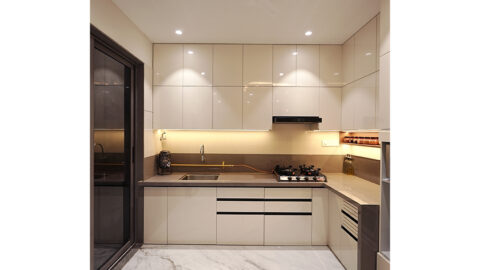
Your kitchen countertops probably feel like a tangled mess with all the electronics needing a charge these days. Luckily, there are smart ways to organize those devices and hide away the cords, which will make your space feel much more open and usable.
This list will show you 20 ideas for keeping everything powered up and out of sight, from clever drawers to built-in spots.
Slide-Out Charging Station Hides Devices in Cabinetry
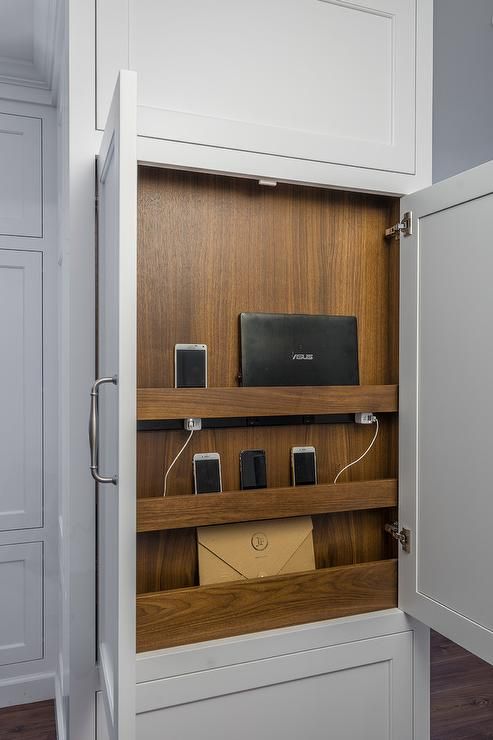
Warm wood forms the interior of this dedicated charging zone, complete with staggered shelves for holding phones upright and a hidden rail system for easy sliding and cable management. This entire setup fits within cabinetry.
Conceal Chargers in a Pull-Out Drawer
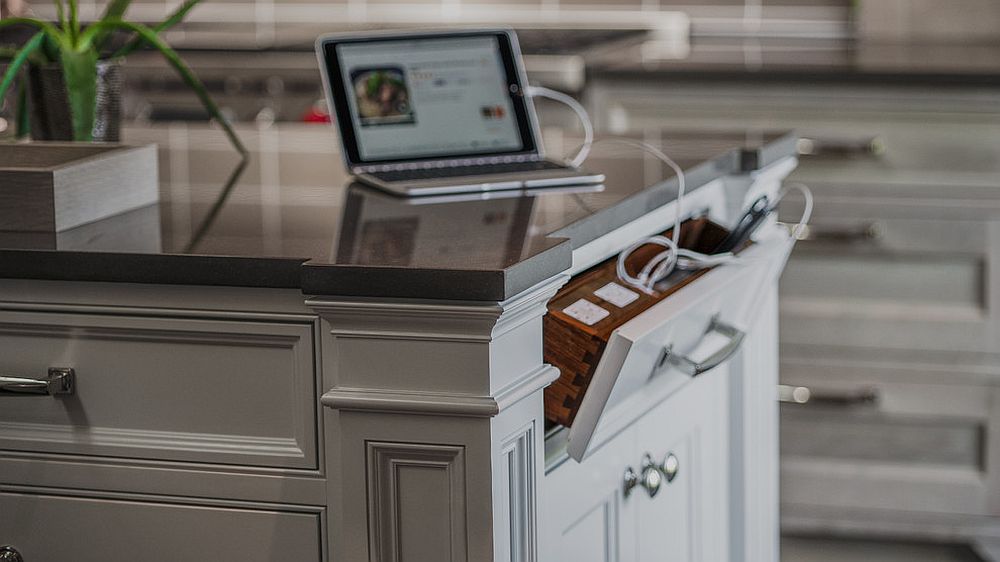
If you want to hide a charging station, a pull-out drawer can house a power strip and cord organizer. It’s pictured with a tablet charging inside.
Two-Tiered Stand with Flip-Down Front
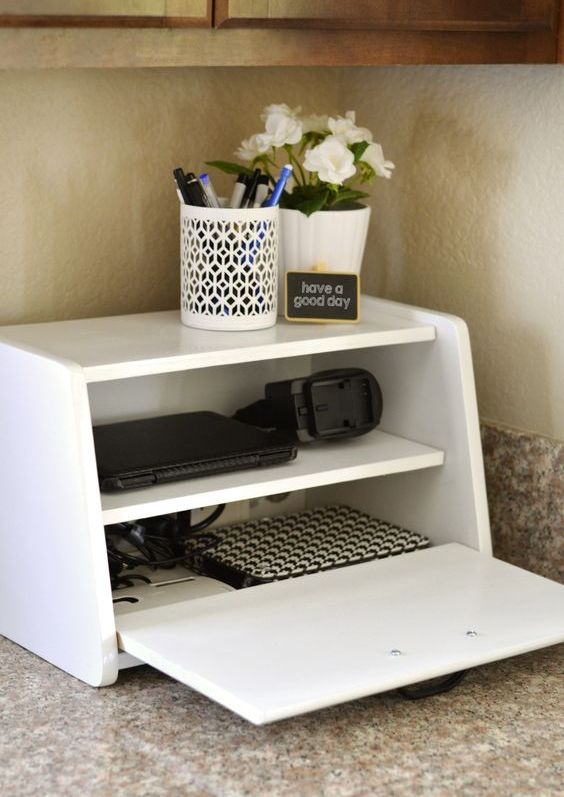
If electronics and their cords make a mess, this compact, two-tiered stand helps. The top shelf holds pens and a decorative plant, and a lower shelf stores devices and chargers, with a flip-down front panel to conceal the mess.
Wooden Tray with Dividers Organizes Mobile Devices
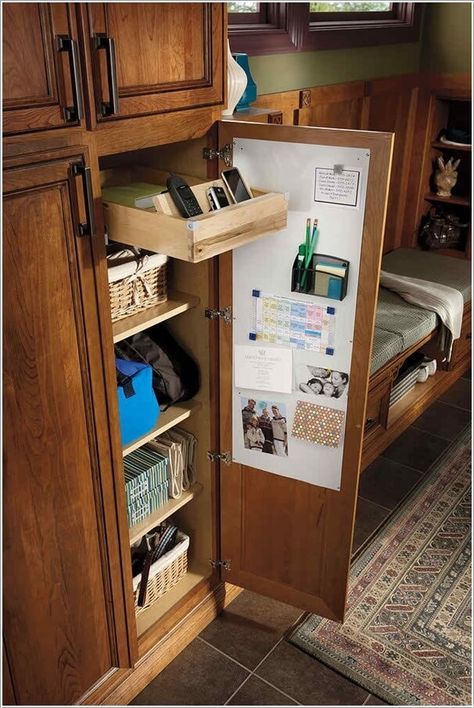
If mobile devices tend to slide around in a drawer, a pull-out wooden tray with built-in dividers can keep them contained. It’s designed to hold phones and small electronics, and its natural wood finish blends into the surrounding cabinetry.
Drawer Basket Keeps Charging Accessories Contained
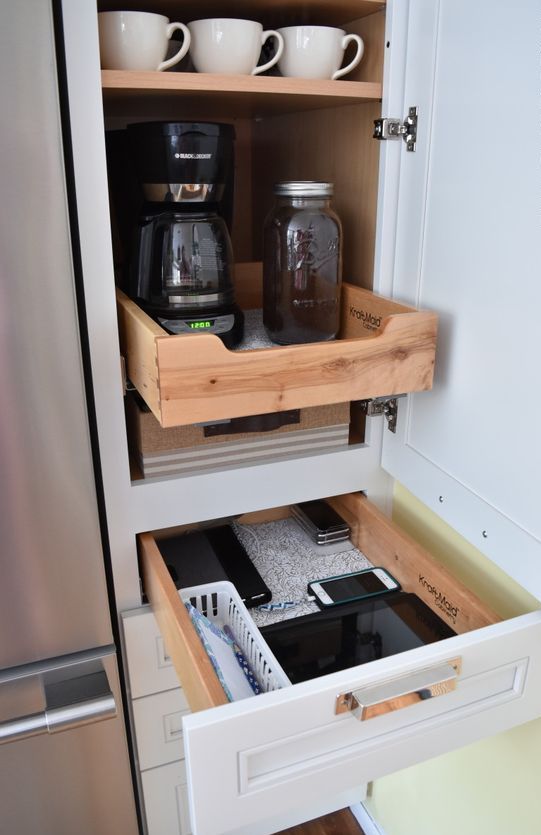
Within a pull-out drawer, a small, lidded basket corrals charging cables and power banks. This white plastic basket holds smaller cords and adapters, while larger electronics like tablets and phones rest on the drawer liner.
Mount a Power Strip Inside a Drawer
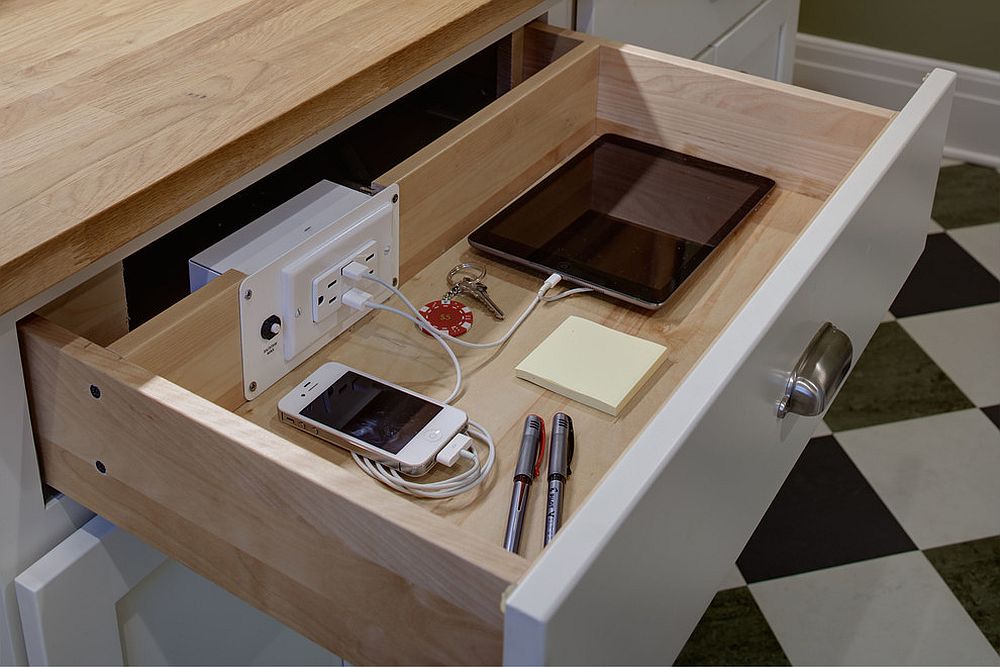
If you want to keep charging cords off your countertops, install a power strip with outlets and USB ports onto the inside wall of a drawer. This is where your phones and tablets will plug in.
Woven Basket with Compartments for Devices
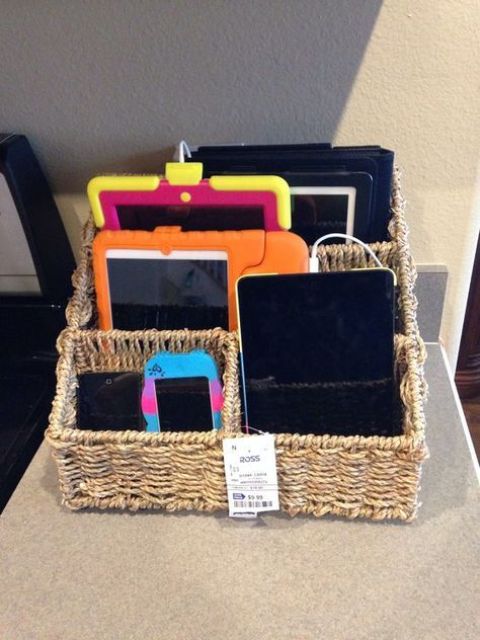
Keep your tablets and phones sorted in a divided woven basket. It’s got several sections inside for different devices and their charging cables.
Blue Wooden Organizer for Devices and Pens
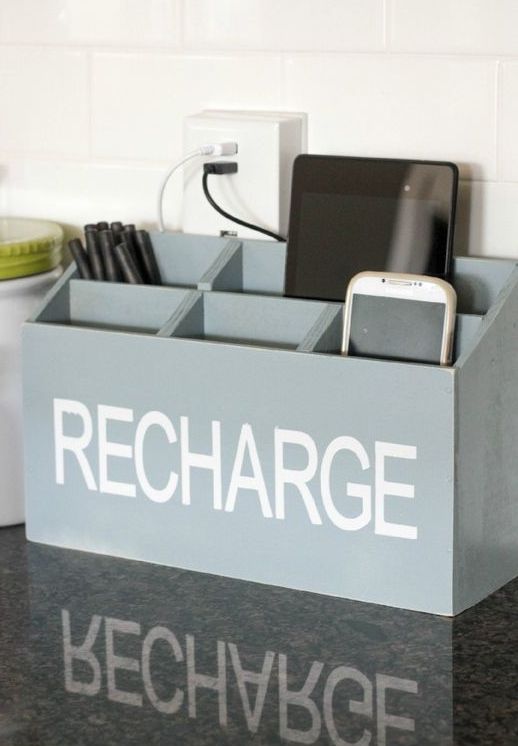
If you need a single spot for electronics and writing tools, this divided wooden box is a solution. It’s light blue and has clear compartments for phones, tablets, and pens.
Hanging Basket with Charging Tray Under Countertop
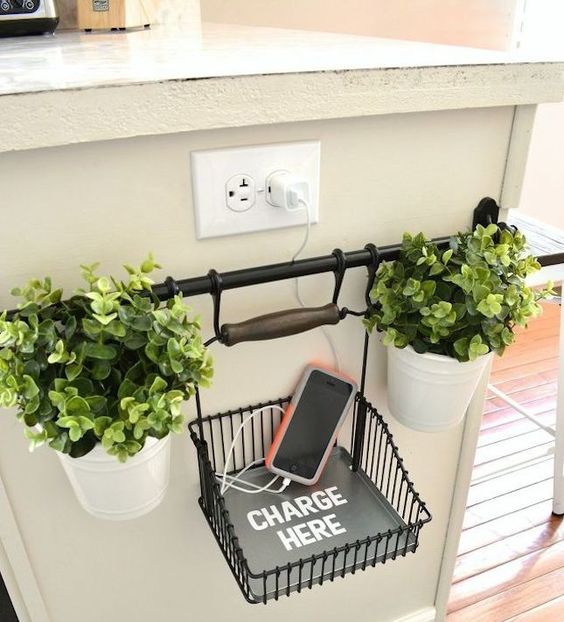
Under a countertop overhang, you can mount a simple rod and attach a hanging wire basket that includes a dedicated tray printed “CHARGE HERE,” with small potted plants on either side.
Galvanized Bin with ‘Charge Here’ Label for Devices
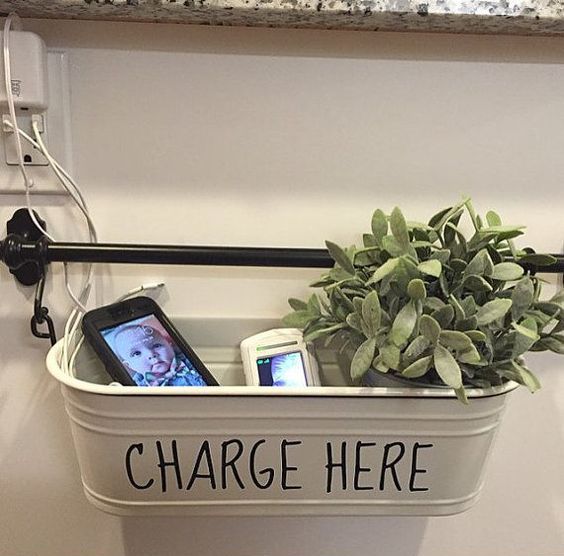
Hang a decorative galvanized bin from a rod to hold your charging devices. It’s a white metal container with “Charge Here” hand-painted on the front, and a small faux plant sits inside.
Built-In Counter Cubbies for Device Charging
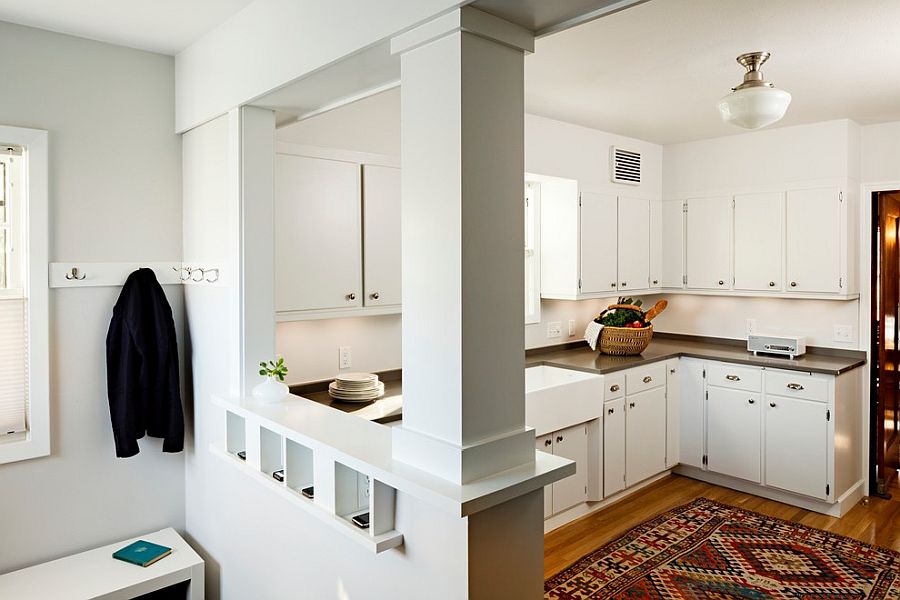
Install a series of open cubbies along your kitchen counter or a half-wall. Don’t worry about finding space for each device; each white, rectangular slot holds a smartphone or tablet.
Repurposed Red Metal Toolbox for Charging
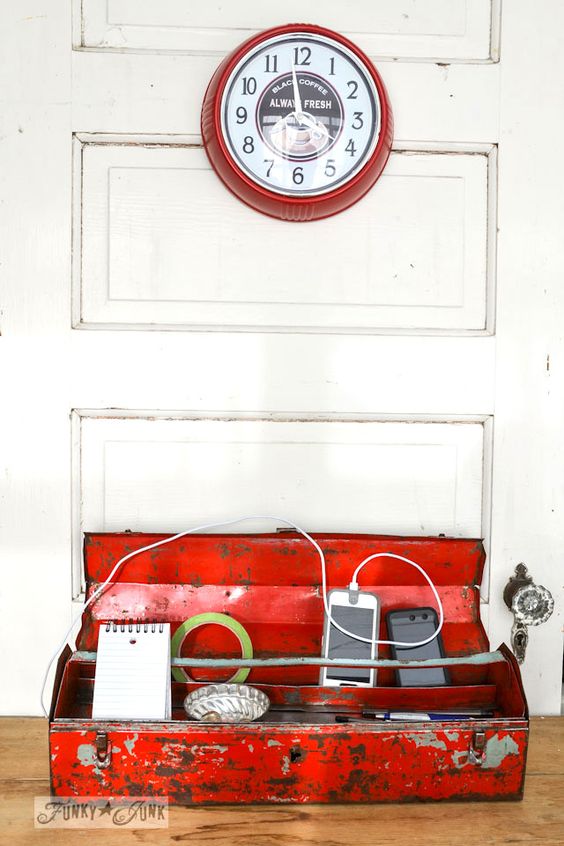
An old metal toolbox can corral charging devices and accessories. Inside, divided compartments are for keeping phones upright while they charge, and the tray holds pens, tape, and a small notepad.
Wooden Slots Inside Cabinet Keep Devices Upright
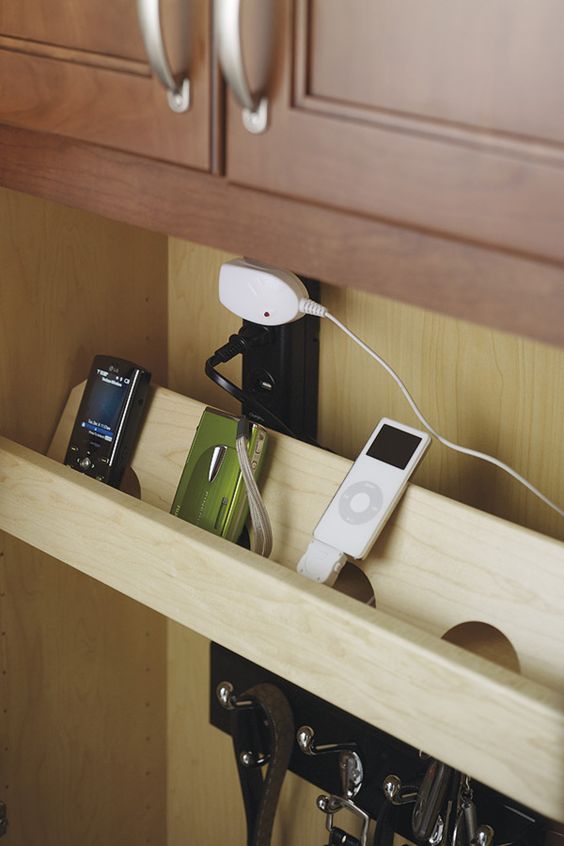
You can install a series of angled wooden slots inside a cabinet or drawer. They hold phones and music players.
It’s a useful way to keep devices from knocking into each other while charging at a power strip.
Rustic Wooden Organizer Holds Tablets and Phones Vertically
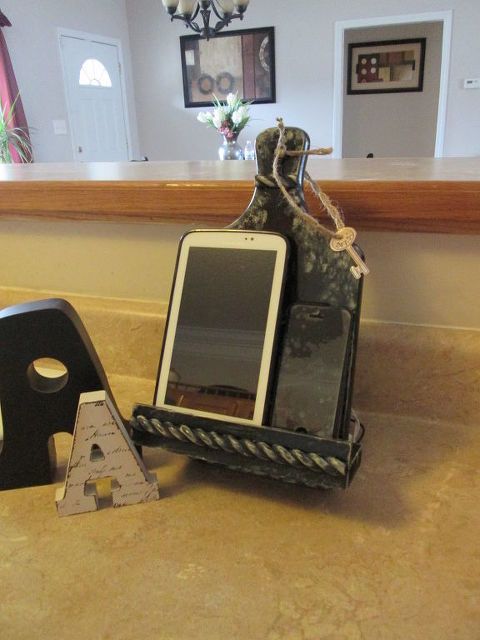
This dark, textured rustic wooden charging stand features slots designed to hold both tablets and smartphones vertically on the counter, preventing them from sliding around with a decorative rope detail and a small hanging key.
Pop-Up Power Tower for Countertop Charging
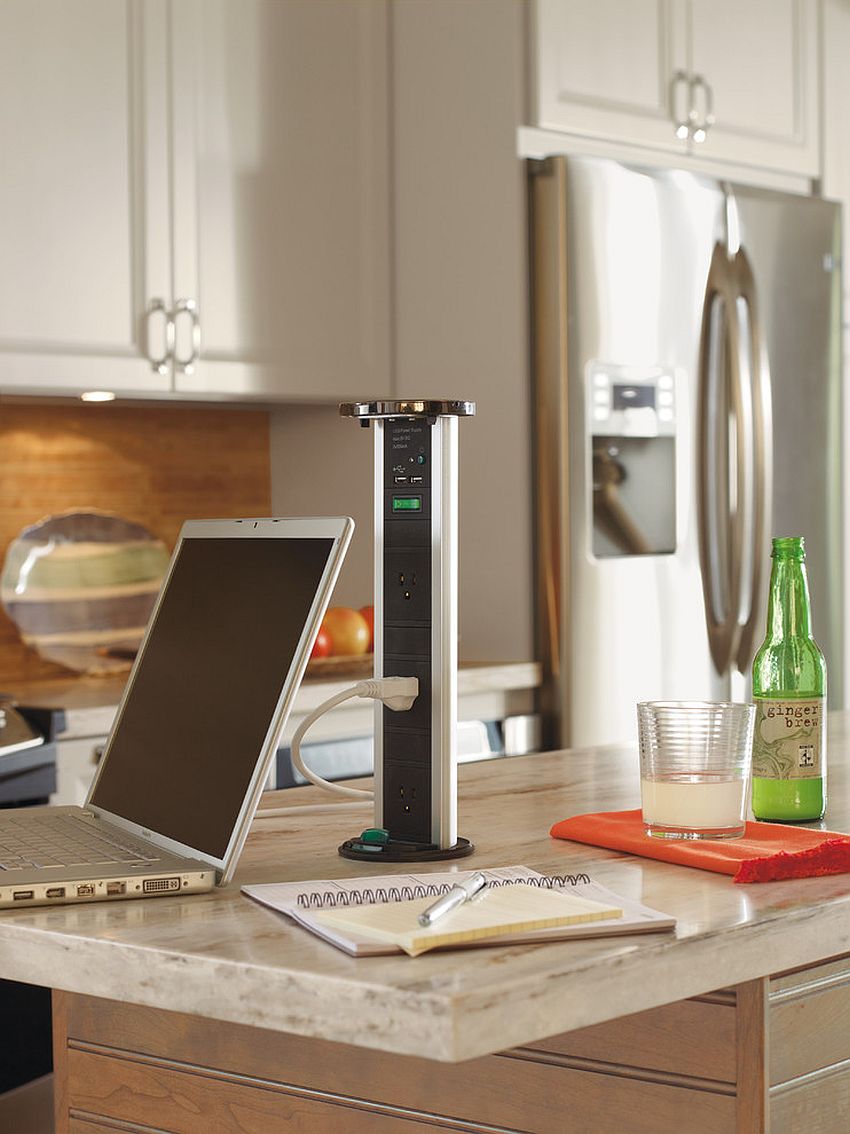
Install a retractable power tower directly into your countertop for charging multiple devices. This sleek unit offers several outlets and USB ports, all hidden when not in use.
Rustic Wooden Organizer with ‘Recharge’ Label
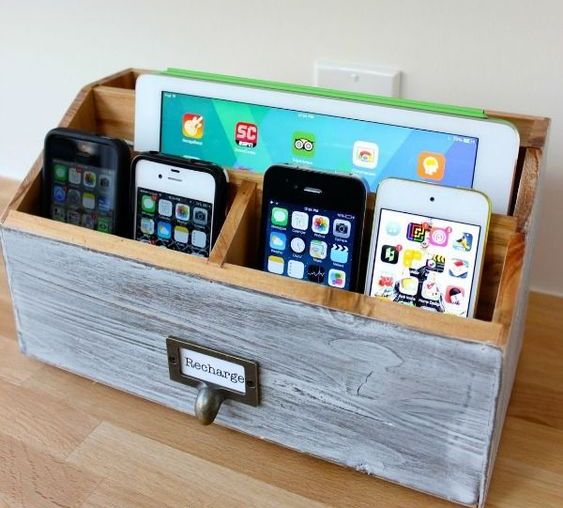
For organized devices ready for use, choose this rustic wooden unit. Its divided compartments are perfectly sized for mobile communicators and a handheld screen.
The distressed wood finish and metal label introduce a touch of vintage charm to your counter surface.
Wire Mesh Wall Organizer for Charging Devices
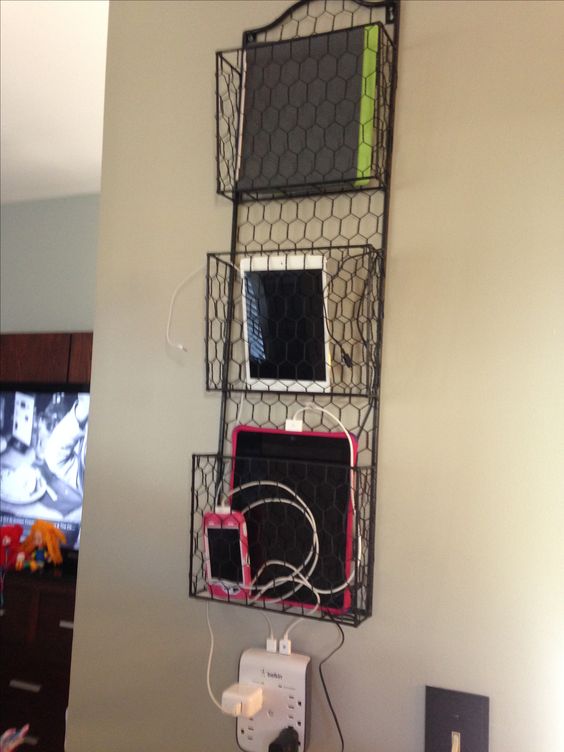
Mount a tiered wire mesh organizer on the wall to hold tablets and phones. Its open baskets let charging cables hang, keeping devices separate across the multi-level design.
It’s a practical option if you have an empty wall section near an outlet.
Wall-Mounted Wooden Station with Hidden Drawer
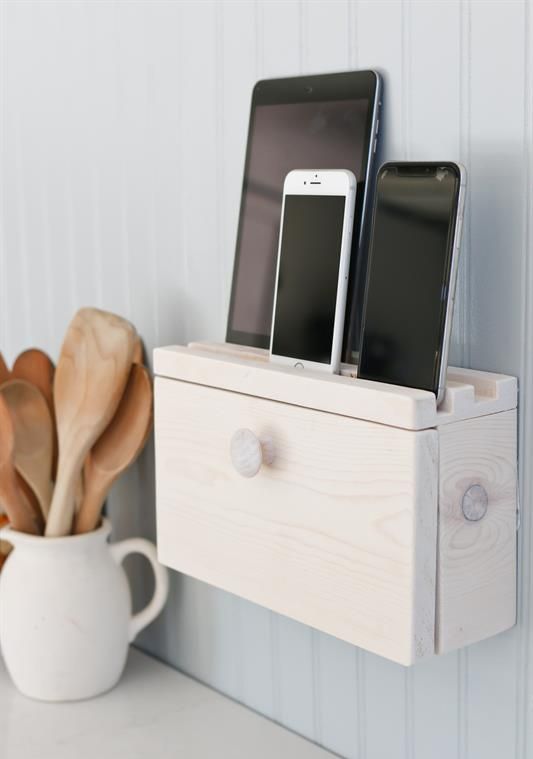
If your tech tends to sprawl on the counter, a wall-mounted wooden unit can keep it tidy. It’s a light-colored wood with angled slots for devices and a small drawer for accessories.
Drawer Power Strip Keeps Cords Tucked Away
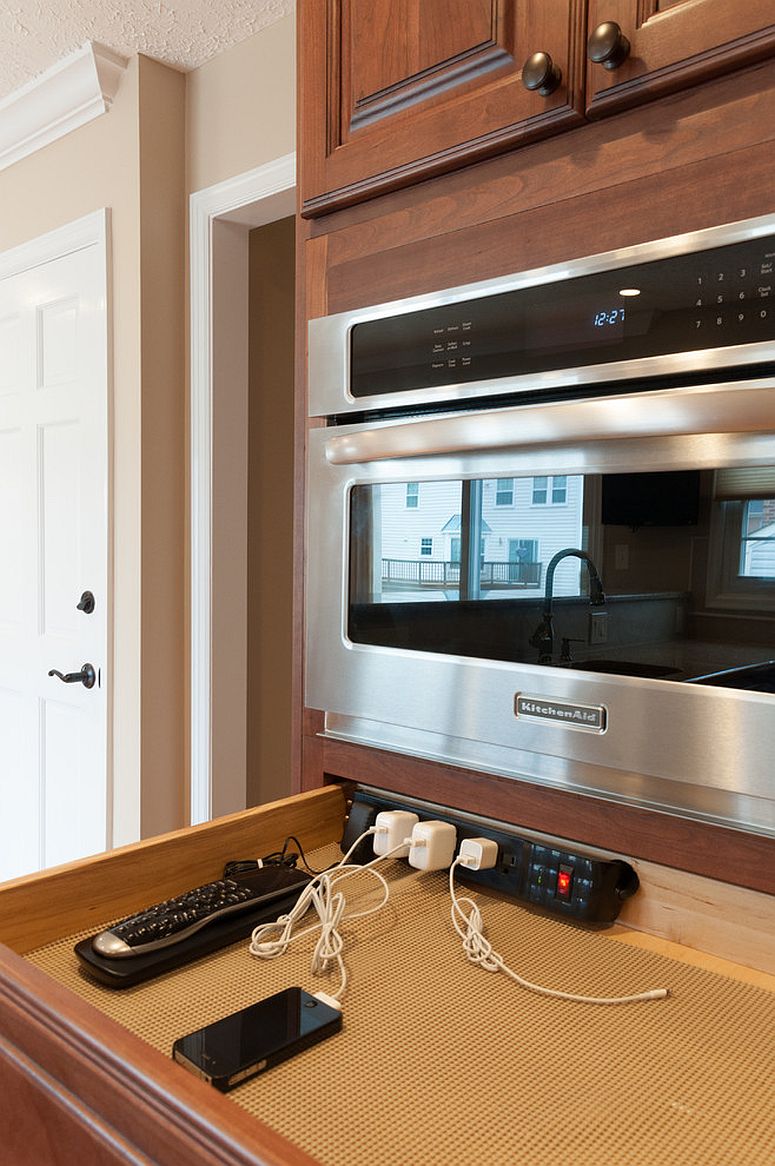
Install a power strip horizontally along the back of a kitchen drawer. You’ll use a black multi-outlet strip with white plugs, like the one shown charging a phone.
Flush-Mount Charging Station Conceals Cords
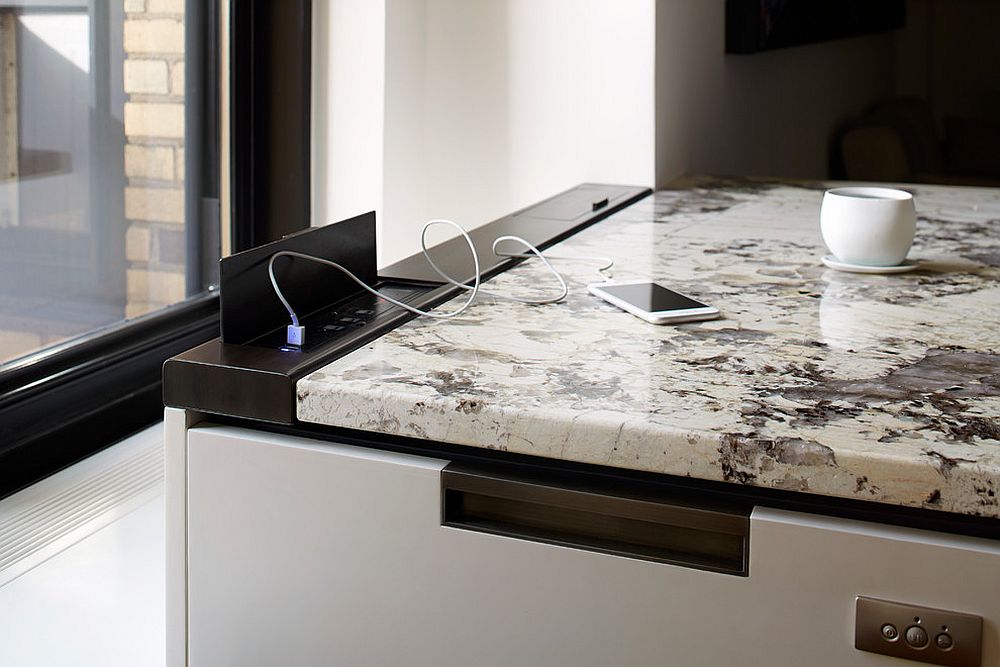
To keep your counter clear of charging cables, consider a station that installs flush with the surface. This dark wood unit provides multiple outlets and a built-in stand for a phone.
It’s best integrated during a kitchen remodel or when replacing a countertop.